Native macOS app
Thermal imaging, native on the Mac.
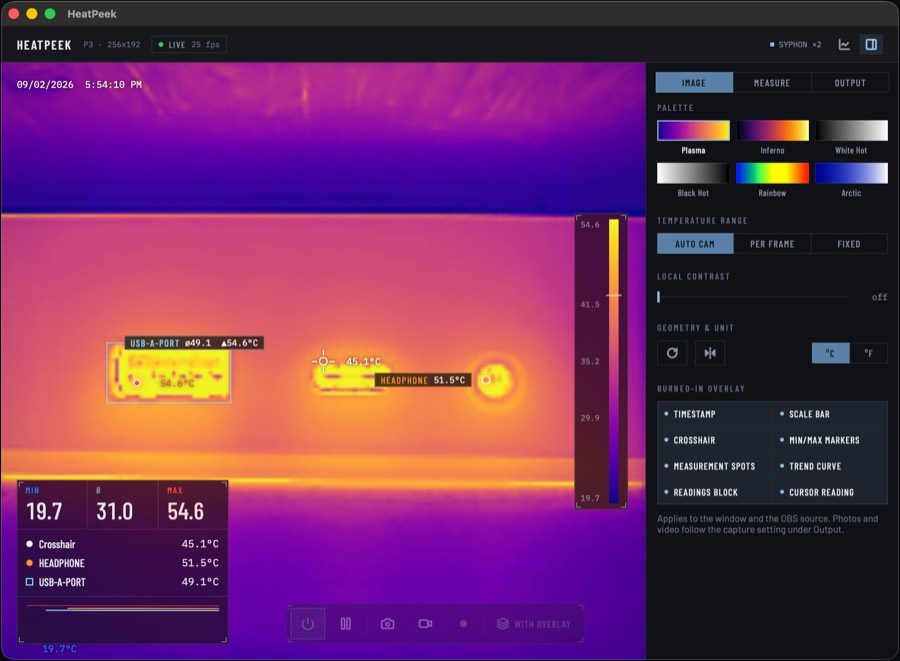
The P3 and P1 are driven straight from user space through Apple's IOUSBHost, and macOS brings in the P2 Pro itself – no kernel extension, no libusb, nothing to install. The sensor measures each pixel at 1/64 K; HeatPeek works from those values rather than from the finished colour picture.
macOS 14 or later · Apple silicon and Intel · free · MIT licence
Features
What is in it
-
Raw values, not colours
The camera gives a raw value per pixel at 1/64 K. HeatPeek works from those throughout – every measurement, correction and recording reads them, rather than reading a temperature back out of a false-colour picture.
-
Spots and areas
Nine spots, four areas. Each has a name, limits, a colour, a trend curve and a CSV column. Coordinates live in the sensor's raw grid, so they survive rotation and mirroring.
-
Emissivity
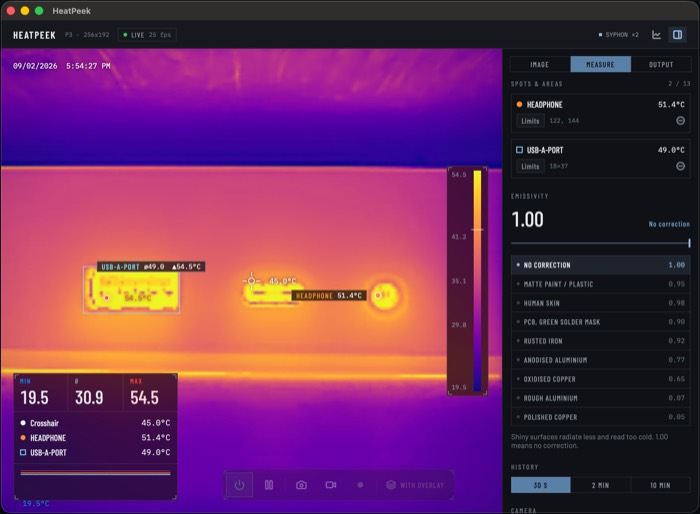
Stefan-Boltzmann correction as a lookup table over the raw values – one array read per pixel instead of two pow calls. The app states the noise gain and the floor below which the correction has no solution.
-
Scaling
The camera's own gain, per frame, or a fixed range. Under that gain the app reads the curve back out of the frame instead of assuming a straight line, so the bar is labelled there too.
-
Two Syphon sources
A shared IOSurface texture: no JPEG, no HTTP. Picture and readings kept apart so a scene can place them independently.
-
Record and read back
PNG with the full temperature matrix, H.264 MP4, readings as CSV at 5 Hz. Both CSV formats open again in the app – as curves, or as a picture with its distribution.
Measuring
What is measured, and how closely
A click places a spot, a drag an area; either can be moved. The readings block shows the scene's minimum, mean and maximum, and every measurement below that.
Emissivity is where thermal measurements go wrong. The presets name the surface condition, because that is what sets the value: polished copper sits at 0.05, oxidised copper at 0.65. At low values the app says by how much it multiplies any error in the reading.
OBS
Straight into OBS
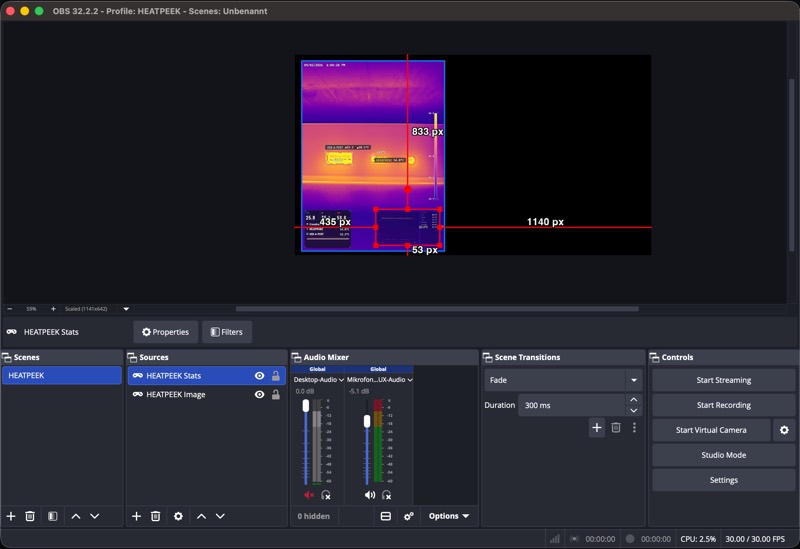
The finished picture is already a GPU texture. Syphon hands that one on – no re-encoding, no file, no server in between – and OBS reads it directly. What is switched on in the window arrives there unchanged: the image information applies to window and source alike.
Two Syphon sources
- HeatPeek
- The camera picture in the sensor's aspect ratio, carrying whichever image information you switched on.
- HeatPeek Stats
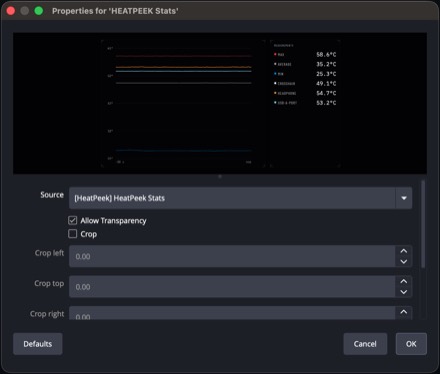
- Trend curve and readings, 1280 × 720, with an alpha channel. Opacity all the way down to zero – then only text and curves remain.
For tools without Syphon there is an MJPEG stream on localhost – on your own machine only, never on the network.
Hardware
Supported cameras
What decides whether a camera is supported is its VID and PID, not the print on the case.
| Model | VID / PID | Resolution |
|---|---|---|
| Thermal Master P3 | 0x3474 / 0x45A2 | 256 × 192 |
| Thermal Master P1 | 0x3474 / 0x45C2 | 160 × 120 |
| Thermal Master P2 Pro | 0x0BDA / 0x5830 | 256 × 192 |
macOS presents the P2 Pro as a video device, so it asks for camera access the first time you plug it in. It measures in its default range of −20 to 120 °C; range switching and manual shutter calibration are missing on it, because this path does not carry the vendor commands they need.
Tested with the P3 and the P2 Pro. The P1 is covered end to end with synthetic frames, but not yet against a real device.
3D model
A GoPro mount for the Thermal Master P3
Got a 3D printer? Print yourself a case for the P3. Put it on an extension cable and the camera no longer hangs rigidly off your phone — it sits on any arm, clamp or tripod head.
It carries two interfaces – one on the short end, one on the long side, so you can clamp it along its length or across it. As STL and 3MF for slicing, as STEP for editing, plus a short read-me covering material, print orientation and the two clearances that matter.
The focus ring end is left open on purpose, so the ring can still be turned with the camera in place.
Not for the P1, that one has a different body. MIT licence.
Install
Three steps
- Download the disk image and drag HeatPeek to “Applications”.
- On first launch macOS asks once, because the app came from the internet. It is signed and notarised by Apple.
- Plug the camera in over USB-C – HeatPeek connects on its own. With the P2 Pro, macOS asks once for camera access.
The click you hear is the camera's shutter calibration. On the P3 and P1, “Camera off” in HeatPeek resets the USB device so it falls silent once you are done.
Source
Open and free
HeatPeek is released under the MIT licence, and the source is open on GitHub.
The USB protocol is an independent Swift reimplementation following the reverse-engineering work of jvdillon in p3-ir-camera (Apache 2.0). Bundled: Syphon (3-clause BSD), the Lucide icons (ISC) and the Barlow and IBM Plex Mono typefaces (SIL OFL), each under its own licence.
Thermal imaging, native on the Mac.
macOS 14 or later · Apple silicon and Intel · free · MIT licence